
Introduction
Modern software development is built on top of libraries—reusable building blocks that provide ready-made functionality. As projects grow, they often depend on many libraries, each with its own version requirements. This quickly becomes difficult to manage, especially when the same project needs to run on different machines.
To solve this problem, developers use environment and dependency management tools. These tools make sure that:
- The correct library versions are installed
- The project behaves the same everywhere
- Changes during development do not break other projects
In Python, several tools exist to manage this complexity. Poetry is one of the most modern and beginner-friendly solutions.
Diagram: The Problem Poetry Solves
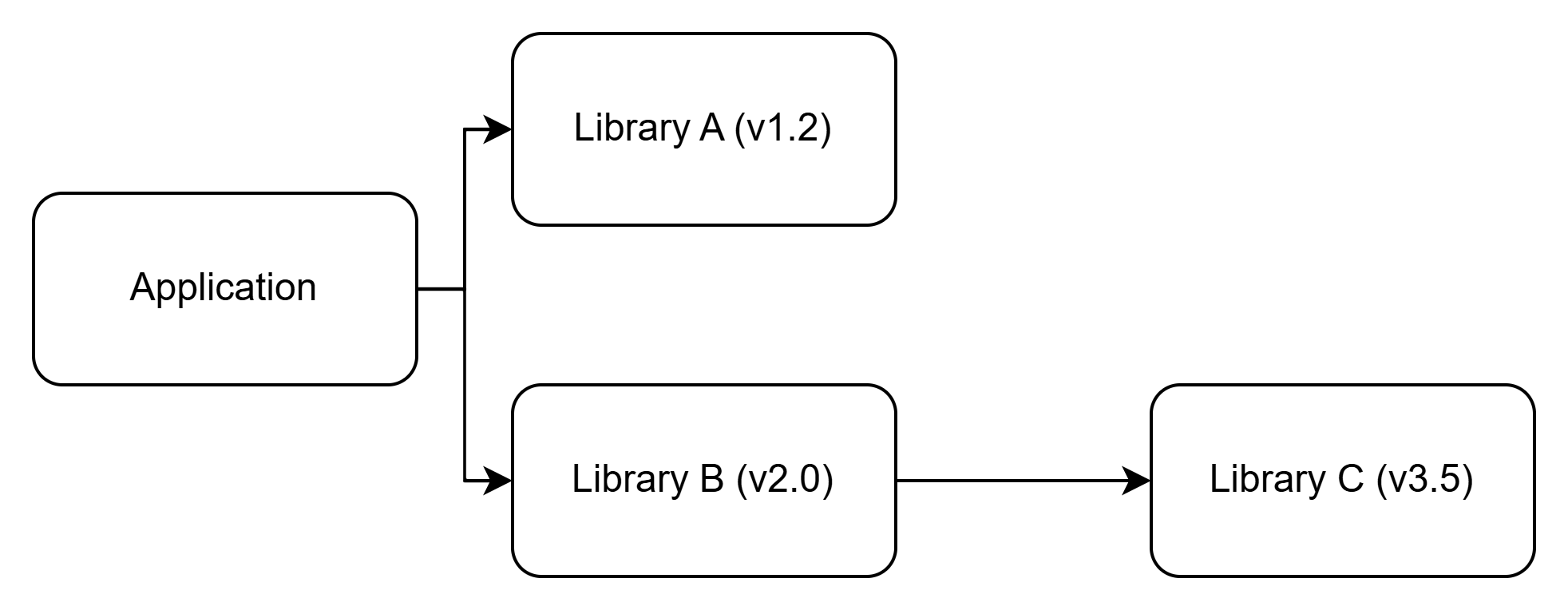
Different machine → different versions → bugs
What Is Poetry?
Poetry is a modern dependency management and packaging tool for Python. It helps you:
- Manage project dependencies
- Create and manage virtual environments automatically
- Package your project for distribution
- Publish packages to PyPI (Python Package Index)
Instead of combining multiple tools like pip, virtualenv, requirements.txt, and setup.py, Poetry provides one unified workflow.
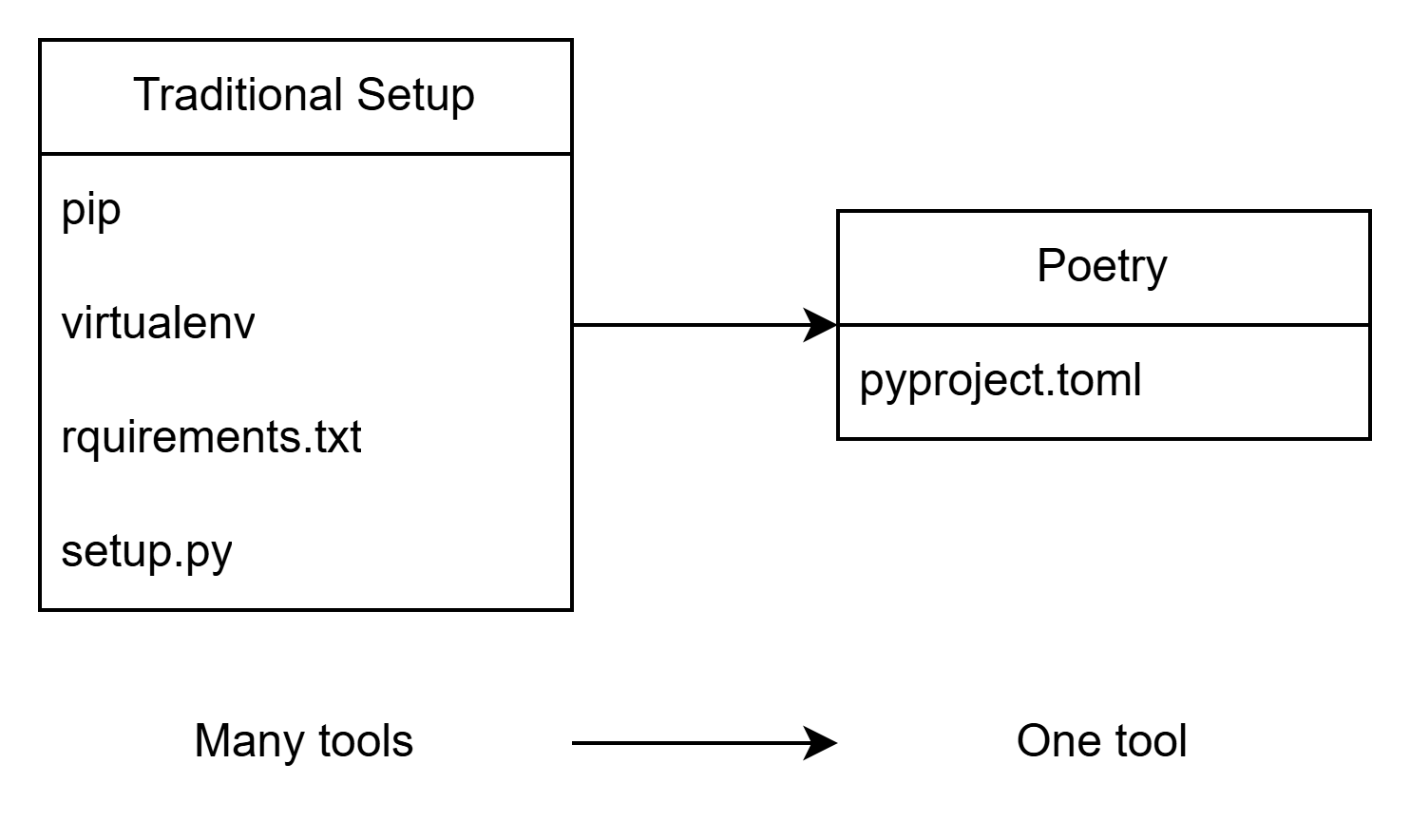
Why Use Poetry?
Poetry stands out because it focuses on correctness, consistency, and simplicity.
Key advantages include:
- Deterministic installs: A lock file ensures everyone gets the exact same dependency versions
- Automatic virtual environments: No manual setup required
- Declarative configuration: All dependencies are defined in one file (
pyproject.toml) - Standards compliant: Implements PEP 517 (A build-system independent format for source trees) and PEP 518 (Specifying Minimum Build System Requirements for Python Projects)
How Poetry Compares to Other Tools
| Feature | Poetry | pip + venv | Pipenv | Conda |
|---|---|---|---|---|
| Dependency resolution | ✅ Strong (lock file) | ❌ Weak | ✅ Moderate | ✅ Strong |
| Lock file | ✅ poetry.lock | ❌ Optional | ✅ Pipfile.lock | ✅ environment.yml |
| Virtual environment management | ✅ Automatic | ❌ Manual | ✅ Automatic | ✅ Automatic |
| Packaging support | ✅ Built-in | ❌ Separate | ❌ Limited | ⚠️ Secondary |
| Python version constraints | ✅ First-class | ⚠️ Manual | ⚠️ Manual | ✅ First-class |
| Native library handling* | ❌ System-level | ❌ System-level | ❌ System-level | ✅ Built-in |
| Recommended for libraries | ✅ Yes | ⚠️ Manual | ❌ | ❌ |
| Recommended for data science | ⚠️ Sometimes | ❌ | ❌ | ✅ Yes |
*Native libraries are platform-specific components written in languages like C or C++ that some Python packages depend on.
Core Components of a Poetry Project
Diagram: Files in a Poetry Project
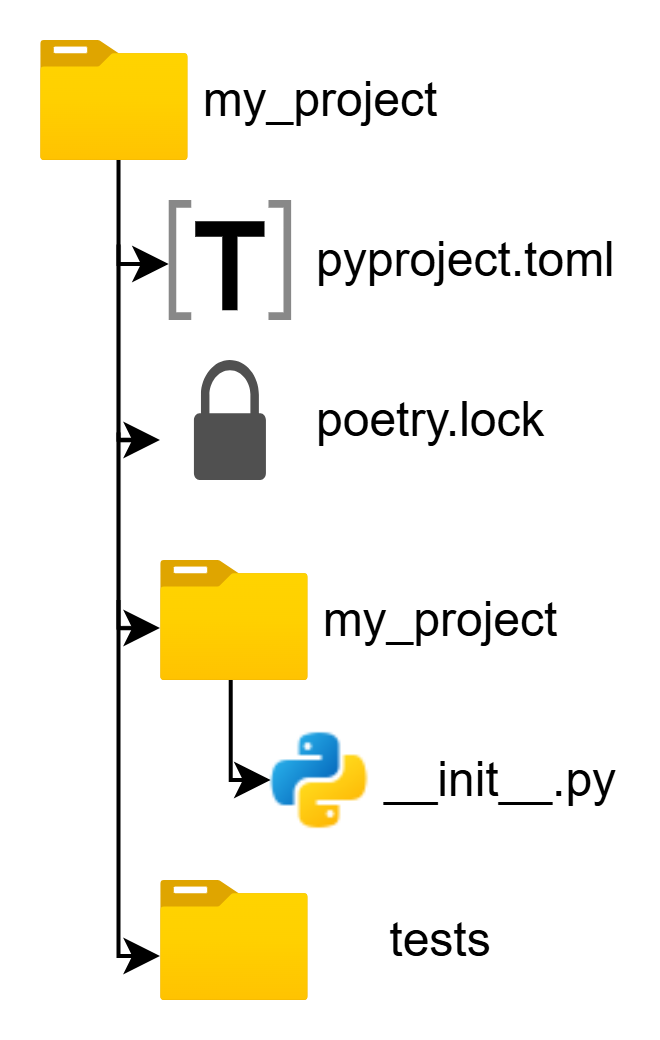
1. pyproject.toml
This is the heart of a Poetry-managed project. It contains:
- Project metadata (name, version, description)
- Python version requirements
- Dependencies and development dependencies
- Build system configuration
2. poetry.lock
This file records the exact versions of every dependency and sub-dependency.
- Always commit this file to version control
- Guarantees consistent installs across machines
✅ Correctness highlight: This file ensures the same environment for everyone.
3. Virtual Environments
Poetry automatically creates one virtual environment per project. This keeps project dependencies isolated from your system Python installation.
Virtual Environment Behavior
By default, Poetry:
- Creates the virtual environment outside the project directory
- Names it based on the project and Python version
- Activates it automatically when using
poetry shellorpoetry run
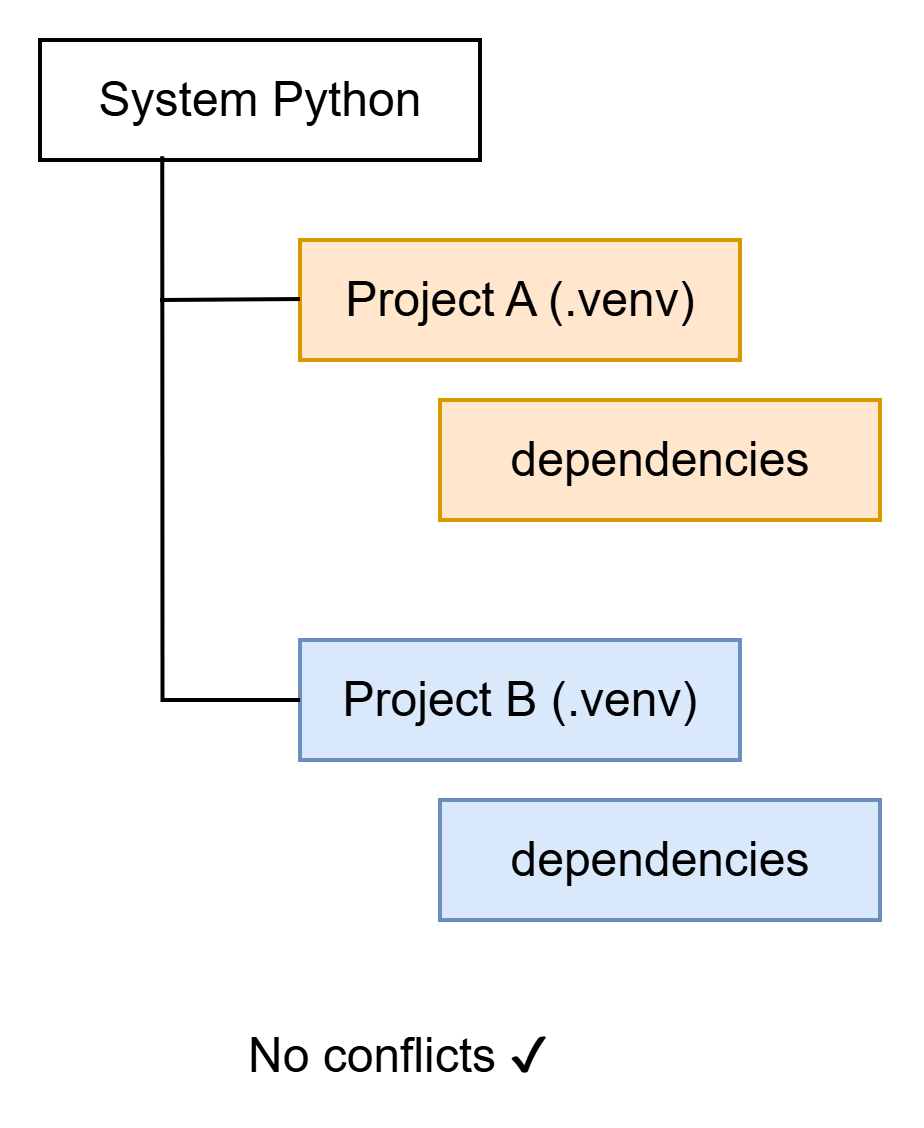
Creating the Environment Inside the Project (Optional)
poetry config virtualenvs.in-project trueThis creates a .venv/ directory inside your project.
System Libraries and system-site-packages
Some Python packages depend on native system libraries (for example: psycopg2, lxml, cryptography). These libraries are not installed through Poetry itself.
What Is system-site-packages?
By default, Poetry creates fully isolated environments. Enabling system-site-packages allows the virtual environment to access globally installed Python packages.
When This Is Useful
Advantages:
- Avoids rebuilding large native dependencies (e.g. CUDA, TensorFlow)
- Faster environment creation
- Useful in corporate or shared systems
Disadvantages:
- Breaks full isolation
- Can introduce hidden dependencies
- Reduces reproducibility
⚠️ Advanced topic: Beginners should only use this when necessary.
Enabling system-site-packages
⚠️ Important: This must be configured before creating the virtual environment.
Step 1: Configure Poetry
poetry config virtualenvs.options.system-site-packages trueStep 2: Create or Initialize a Project
poetry new my_project
# or
poetry init
Step 3: Install Dependencies
poetry install✅ Correctness note: Poetry may recreate environments automatically, so manual changes are not always persistent.
Getting Started with Poetry
Installing Poetry
The recommended installation method:
curl -sSL https://install.python-poetry.org | python3 -
Verify installation:
poetry --versionCreating a New Project
poetry new my_project
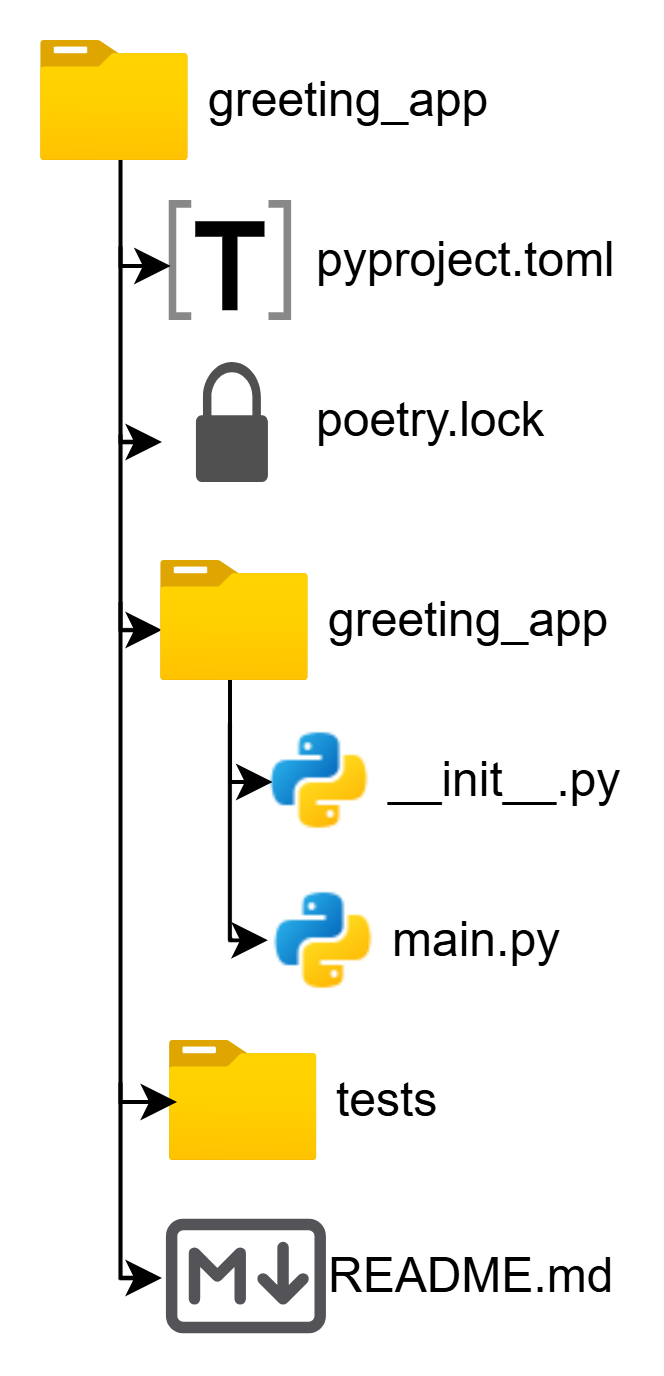
This creates:
To use an existing directory:
poetry init
Mini Project: Greeting App
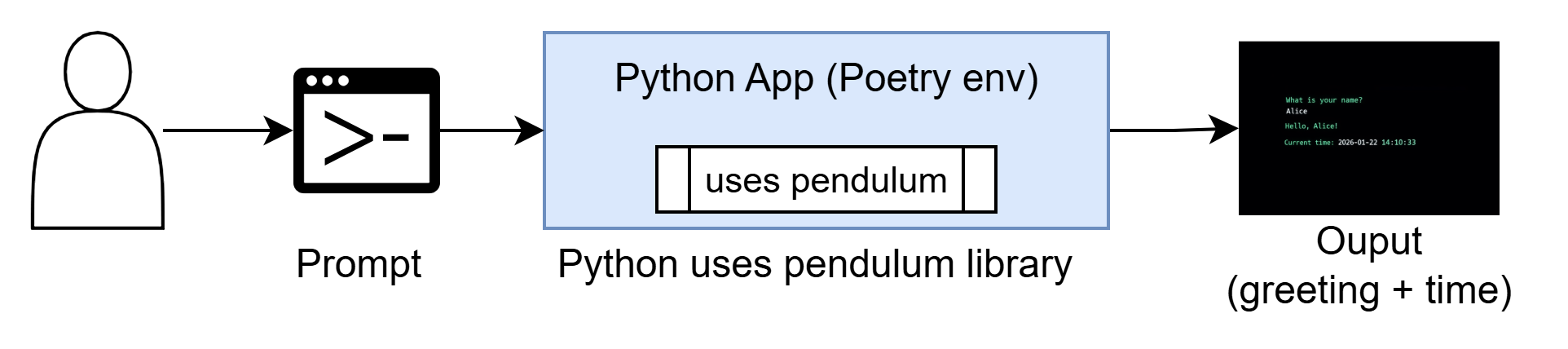
We will create a small command-line application that:
- Asks for a user’s name
- Prints a greeting
- Displays the current date and time
Step 1: Create the Project
poetry new greeting_app
cd greeting_app
Step 2: Write the Code
Create a new file:
touch greeting_app/main.py
Add the following code:
import pendulumdef greet():
name = input("What is your name? ")
now = pendulum.now().format("YYYY-MM-DD HH:mm:ss")
print(f"\nHello, {name}!")
print(f"Current time: {now}")
if __name__ == "__main__":
greet()
Step 3: Run the App
poetry run python greeting_app/main.pyExample output:
What is your name? Alice

Hello, Alice!
Current time: 2026-01-22 14:10:33
🎉 You just ran a Python program using Poetry!
Step 4: Activate the Poetry Shell (Optional)
poetry shell
python greeting_app/main.py
exit
Step 5: Inspect the Environment
poetry env infoThis shows:
- Python version
- Virtual environment path
- Whether it is in-project or global
Understanding pyproject.toml
Focus on this section:
[tool.poetry.dependencies]
python = "^3.10"
pendulum = "^3.0"
This file is:
- The single source of truth for dependencies
- Easy to read
- Automatically managed by Poetry
Optional: Add a Console Command
Edit pyproject.toml:
[tool.poetry.scripts]
greet = "greeting_app.main:greet"
Run the app as a command:
poetry run greet
Why the Lock File Matters
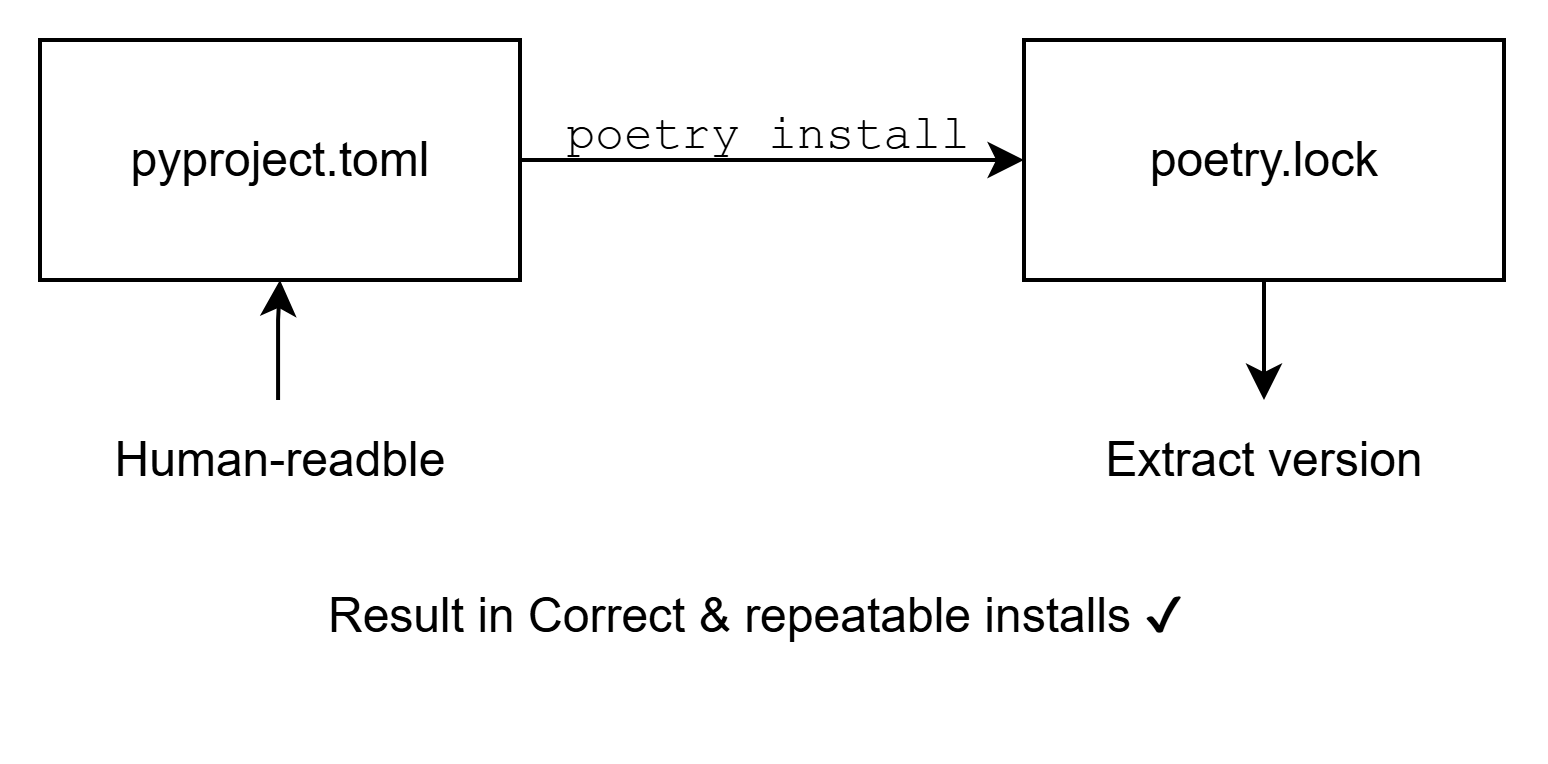
The poetry.lock file:
- Stores exact dependency versions
- Ensures everyone gets the same environment
- Should always be committed to version control
What Beginners Should Notice
✔ No requirements.txt
✔ No manual virtual environment creation
✔ No guessing dependency versions
✔ One tool does everything
This is Poetry’s main value.
Final Project Structure
Next Steps
Once comfortable, you can:
- Add tests with
pytest - Improve the CLI interface
- Build the package (
poetry build) - Publish to PyPI (
poetry publish) - Use Poetry inside Docker containers